


One press on iPhone아이폰에서 한 번 누르기
An iPhone Shortcut on the Action Button or Back Tap sends the current screen without filling up Photos.동작 버튼이나 뒷면 탭에 단축어를 걸면 사진첩을 채우지 않고 지금 화면을 바로 보냅니다.
A screenshot-based AI agent that organizes your everyday captures and offers ideas and recommendations when they matter.일상 속 수많은 캡처를 정리하고 필요할 때 먼저 제안하고 추천해 주는 캡처 기반 AI 에이전트
Organize and search captures, with evening summaries and alerts.캡처를 정리하고 검색하며, 저녁 요약과 알림을 받아보세요.
Connect an AI such as Claude to ask about your saved captures.Claude 같은 AI에 연결해 저장한 캡처를 물어보세요.
Capture a café post and it is filed as a place, then brought back before the weekend.가게 소개 글을 캡처만 해두면 장소로 정리해 주말이 오기 전에 다시 알려드려요.
Sand Garden Café · A fictional shop모래정원 카페 · 가상의 가게
12 Example-ro, Seongdong-gu, Seoul서울 성동구 예시로 12
Places to revisit this week
Friday금요일
21:00
Pokkit포킷
Somewhere to go this weekend이번 주말, 가볼 곳이 있어요
Sand Garden Café, saved last week — worth a visit this weekend?지난주 저장한 모래정원 카페, 이번 주말에 들러 볼까요?
Supported product links are checked once a day. Not a real-time or identical-option lowest-price guarantee.지원되는 상품 링크의 가격을 하루 한 번 확인해요. 실시간 가격이나 동일 옵션의 최저가를 보장하지 않아요.
Airlight Runner 3에어라이트 러닝화 3
KRW 129,000129,000원
Free delivery · Fictional item무료배송 · 가상 상품
Airlight Runner 3에어라이트 러닝화 3
Tuesday화요일
14:12
Pokkit포킷
A big price drop가격이 크게 내려갔어요
Airlight Runner 3 · KRW 129,000 → 99,000 (23% off)에어라이트 러닝화 3 · 129,000원 → 99,000원 (23% 하락)
Good reads and funny posts come back in the evening. No notice on days with nothing to share.다시 읽고 싶은 글과 웃긴 짤을 모아 저녁에 꺼내 드려요. 전할 게 없는 날은 조용히 넘어가요.
Sharing a line from today오늘 읽은 문장 공유해요
“Compounding is time doing the work for you.”“복리는 시간이 대신 일하는 구조다.”
Must read this again이건 꼭 다시 읽어야지
Saved the cat meme too고양이 짤도 저장했어요
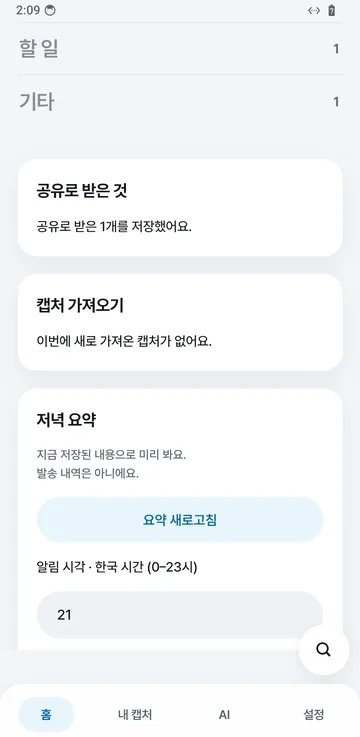
Today’s summary at 21:00
Wednesday수요일
21:00
Pokkit포킷
Today’s summary오늘의 요약
1 read to revisit · 1 funny post다시 볼 글 1개 · 웃긴 것 1개
Connect Pokkit to an AI such as Claude. It looks up your saved captures, read-only.Claude 같은 AI에 포킷을 연결하면 저장한 캡처를 읽기 전용으로 찾아 답해요.
Paper & Lamp Books · A fictional shop종이와 등불 책방 · 가상의 가게
First 20 people · Booking open선착순 20명 · 예약 받는 중
Paper & Lamp Books talk종이와 등불 책방 북토크
When is the book talk I saved last week?지난주에 저장한 북토크 언제였지?
Second Saturday of November at Paper & Lamp Books. Your note says ‘book a seat’.11월 둘째 주 토요일, 종이와 등불 책방이에요. 메모에 ‘예약하기’라고 적어 두셨어요.
Shops, products and posts in the example screens are fictional. Actual app screens were captured from the Android app in development on a virtual device. Use it on the web today; the phone app is in preparation. Price alerts require a publicly checkable shop price.예시 화면의 가게·상품·글은 모두 가상입니다. 실제 앱 화면은 개발 중인 안드로이드 앱을 가상 기기에서 캡처했습니다. 지금은 웹에서 사용할 수 있고, 휴대폰 앱은 준비 중입니다. 가격 알림은 공개 가격 확인이 가능한 쇼핑몰에 한합니다.
Start on the web with a FIDENIT account.FIDENIT 계정으로 웹에서 바로 시작할 수 있습니다.
Organize and revisit your captures, or connect the AI you already use to look them up.포킷에서 캡처를 정리하고 다시 찾아보세요. 쓰던 AI에 연결해 물어볼 수도 있습니다.
An iPhone Shortcut on the Action Button or Back Tap sends the current screen without filling up Photos.동작 버튼이나 뒷면 탭에 단축어를 걸면 사진첩을 채우지 않고 지금 화면을 바로 보냅니다.
AI tags each capture as a product, place, to-do or read, with brand, price or address when visible.AI가 상품·장소·할 일·글로 나누고, 보이면 브랜드·가격·주소도 정리합니다.
Connect Claude or ChatGPT and ask about the shoes you captured last week.Claude나 ChatGPT를 연결하면 지난주에 캡처한 신발을 물어볼 수 있습니다.
Bank, card, ID and chat screens are flagged and their text is not stored.금융·카드·신분증·대화 화면은 표시만 남기고 글자는 저장하지 않습니다.
Shortcut, share sheet or the + button in the web app.단축어, 공유 시트, 웹 앱의 + 버튼으로 보냅니다.
Tags and key details are added within the free daily AI allowance.하루 무료 AI 사용량 안에서 종류와 핵심 정보를 붙입니다.
Search your captures, revisit nearby places and get evening summaries or supported price alerts.저장한 캡처와 근처 장소를 찾고, 저녁 요약과 지원되는 상품의 가격 알림을 받습니다.
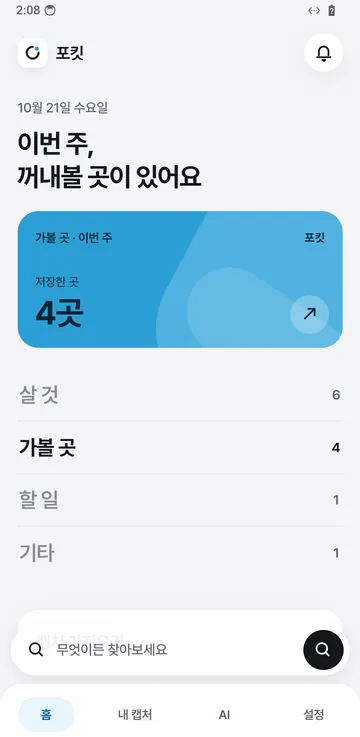
A place for the things you screenshot — shoes seen while shopping, a cafe to visit — sorted into products, places, to-dos and reads so you can find them again. Anyone with a FIDENIT account can use the beta, with up to 200 captures per person.쇼핑하다 본 신발, 가 보고 싶은 카페처럼 화면으로 남긴 것을 한곳에 모아 상품·장소·할 일·글로 정리하고 다시 찾게 해 주는 서비스입니다. FIDENIT 계정으로 누구나 베타로 쓸 수 있고, 베타 기간에는 1인 200개까지 저장합니다.
Build a Shortcut with Take Screenshot and an upload step, then put it on the Action Button, Back Tap or Control Center; the screen goes straight to Pokkit without being saved to Photos. Existing screenshots and links go through the share sheet. The in-app setup guide lists each step.단축어 앱으로 스크린샷 찍기와 업로드 동작을 만든 뒤 동작 버튼, 뒷면 탭, 제어 센터에 연결합니다. 이 방법은 사진첩에 저장하지 않고 바로 보냅니다. 이미 찍은 캡처와 링크는 공유 시트로 보낼 수 있습니다. 앱 안의 설정 안내에 단계가 있습니다.
Yes. Add the remote MCP server address as a Claude custom connector or in ChatGPT developer mode and approve it on the FIDENIT screen; the AI can then search your captures and add notes. It cannot see anyone else’s data, and you can disconnect in Settings.네. 원격 MCP 서버 주소를 Claude의 사용자 지정 커넥터나 ChatGPT 개발자 모드에 넣고 FIDENIT 화면에서 허용하면, AI가 내 캡처를 검색하고 메모를 붙일 수 있습니다. 다른 사람의 데이터는 볼 수 없고 연결은 설정에서 끊을 수 있습니다.
Screens that look like account, card or ID numbers, verification codes or chats are flagged as sensitive and their text is not stored. Phone numbers and email addresses are masked before storage.계좌·카드·주민번호, 인증번호, 대화 화면으로 보이면 민감 화면으로 표시하고 글자는 저장하지 않습니다. 전화번호와 이메일 같은 개인정보는 저장 전에 가립니다.
Turn on an alert on a product capture and the price is checked once a day; you are notified when it reaches your target. We read the published price only from the exact page you saved and only where that site allows it; marketplaces such as Coupang and Naver are not checked directly, and the official Naver Shopping search integration is being prepared.상품 캡처에서 알림을 켜면 하루 한 번 가격을 확인해 목표 가격 이하로 내려가면 알려 드립니다. 저장한 그 상품 페이지가 허용할 때만 공개된 가격 정보를 읽고, 쿠팡·네이버 같은 쇼핑몰은 직접 확인하지 않으며 네이버 쇼핑 공식 검색 연동은 준비 중입니다.
Deleting a capture removes its image and record immediately. Upload tokens and AI connections can be revoked in Settings at any time, and closing your account deletes all captures.캡처를 지우면 이미지와 기록이 바로 삭제됩니다. 업로드 토큰과 AI 연결도 설정에서 언제든 끊을 수 있고, 계정을 탈퇴하면 모든 캡처를 삭제합니다.
Use Pokkit on the web. Paid pricing has not been set.웹에서 포킷을 이용할 수 있습니다. 유료 요금은 아직 정해지지 않았습니다.
Product inquiries, technical integrations, and partnerships.제품 도입, 기술 연동, 사업 제휴를 논의해 보세요.
Contact: Markus담당: Markus